
|
Home | Site Map | Contact Us |
     
|
How to Selectively Remove Hidden Data & Metadata from FilesTo prevent private and confidential data leakage, using a reliable and comprehensive hidden data & metadata remover to clean files before sharing them with others is essential. Many hidden data & metadata removal tools are simplistic, removing all the hidden data types they support from files, without giving the user the option to select some types to remove while preserving others. This is common among browser-based metadata removers. However, there are many scenarios where one would like such option. For instance, one might want to preserve speaker notes in presentations, and only get rid of other hidden data types. Some tools can selectively remove hidden data, but have low granularity. The built-in hidden data & metadata remover of the Microsoft Office® applications - Document Inspector - for instance, can remove tracked changes and comments altogether, but it cannot selectively remove one of these and leave the other. While there are metadata editors that allow to remove metadata on a field-to-field basis, these are not suitable for avoiding sensitive data leakage through hidden data & metadata, since they cannot remove hidden data such as document tracked changes and document comments. BatchPurifier™ is a privacy-oriented dedicated offline hidden data & metadata remover for Windows®, that has an easy-to-use graphical user interface, (GUI) and supports the permanent and selective removal of more than 60 types of hidden data & metadata from various types of image, video, audio, and document files, including Microsoft Office®, (Word, Excel, PowerPoint) LibreOffice®, PDF, JPEG, PNG, WebP, SVG, AVI, WAV, MP3, and MP4. Supported hidden data & metadata types include properties, comments, tracked changes, and slide notes. BatchPurifier™ can clean thousands of files of mixed types across different folders and ZIP-compressed files at once. The user can save presets of hidden data types to remove, to streamline the process. These features offer the user increased comfort, flexibility, and productivity. 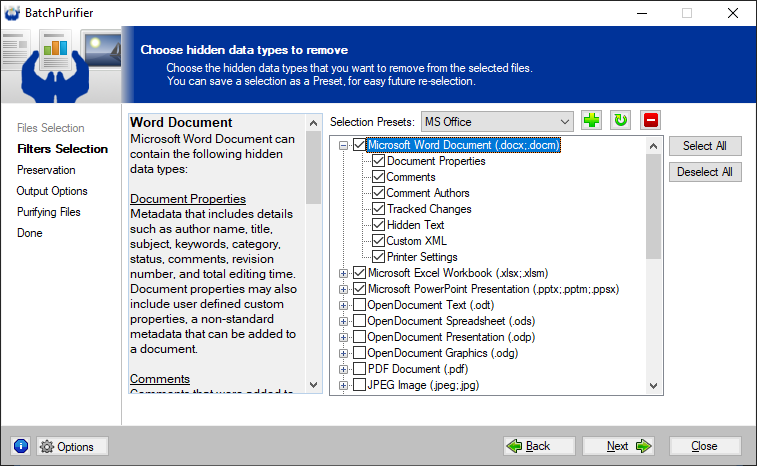
The Professional Edition of BatchPurifier™ have an increased granularity, allowing the user to selectively preserve some properties, such as title and keywords to make it easy to find the files. 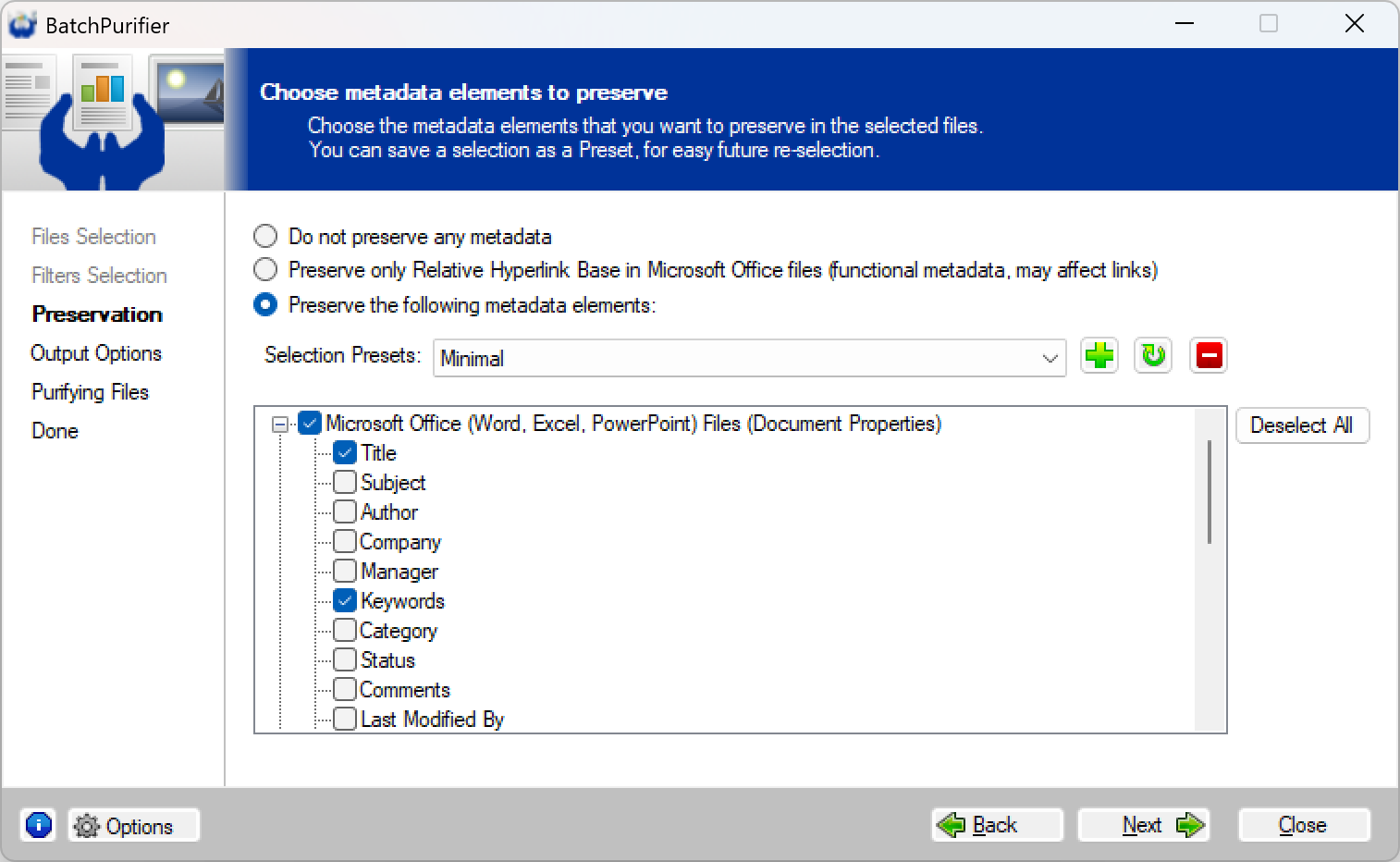
Related White Papers
|
| ©2026 Digital Confidence Ltd. All rights reserved. Privacy Statement | Site Map | Contact Us |