How to Remove PDF Metadata Without Adobe Acrobat Pro
Removing hidden data & metadata from PDF files before sharing them is essential for preventing private and sensitive data
leakage. Adobe Acrobat Pro has the "Remove Hidden Information" and "Sanitize Document" tools, but it has a few drawbacks:
-
Expensive software (there is lower-cost edition - Adobe Acrobat Standard, but it lacks the "Remove Hidden Information"
and "Sanitize Document" tools)
-
No out-of-the-box way to remove hidden data & metadata from multiple PDF files in batch
-
No convenient way to send PDF files for cleaning directly from the Windows file explorer
This leads many to look for an alternative, that is more convenient for the task and has a lower cost.
One such software is
BatchPurifier™,
which is a lightweight dedicated low-cost batch hidden data & metadata remover.
BatchPurifier™ is an offline privacy-oriented desktop application for Windows®, that has a graphical user interface, (GUI) and
supports the
selective removal of more than 60 types of hidden data & metadata from various types of image, video, audio, and document
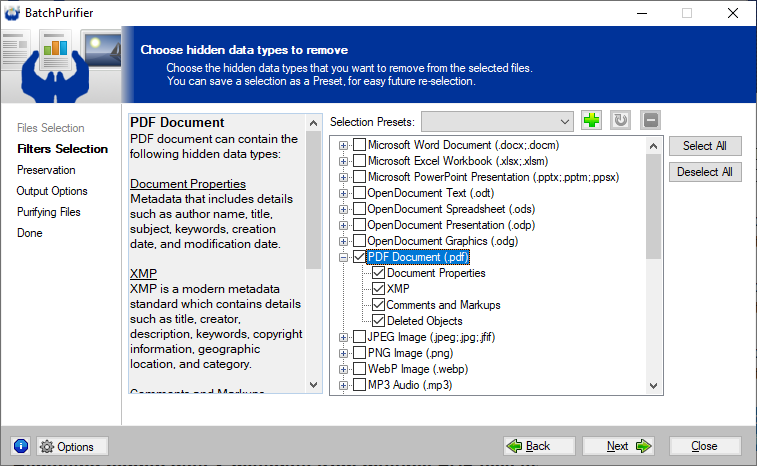
files. From PDF files, it can permanently remove document properties, XMP metadata, comments and markups,
and deleted objects. BatchPurifier™ integrates with the shell menu, enabling the user to easily send files and
folders for purification directly from the Windows file explorer.
Related White Papers
|